The constant firehose of inbound pitch decks is the lifeblood of deal flow, but also a significant operational drag. Manual data entry—pulling key metrics from decks to populate your CRM—is low-value work that burns your most expensive resource: analyst and associate time. Automated data entry for VC means deploying a system to extract critical deal information and log it directly into your pipeline, freeing your team to focus on evaluation, not transcription.
The Real Cost of Manual Deal Logging: Beyond Analyst Salaries
The typical workflow is a known bottleneck: an analyst receives a deck and spends 15-20 minutes finding and transcribing founder info, market size, traction, and the ask into your CRM, whether it's Affinity or Attio. Multiplied across dozens of decks per week, this equates to a significant time sink.
This isn't just about inefficiency; it's a direct opportunity cost. Every minute an analyst spends copy-pasting is a minute they are not spending on substantive work: analyzing a competitive landscape, conducting diligence, or surfacing the next outlier investment. Manual entry creates a bottleneck at the top of your funnel, delaying the entire screening process.
It's More Than Just a Time-Suck
Calculating the true cost requires looking beyond hourly rates. The real expense lies in delayed decisions, missed opportunities buried in a cluttered inbox, and the inevitable human errors that corrupt your pipeline data. Incomplete or inaccurate CRM records render any analysis of deal sourcing channels or screening velocity meaningless.
The hidden costs of manual work are a huge drain; exploring the 12 Best AI Workflow Automation Tools can offer practical ways to get that time back. Shifting to an automated system is a direct investment in your team's most critical resource: their analytical capacity.
A junior analyst's time is better allocated to evaluating a company's competitive moat than to copy-pasting founder bios. Automation reclaims these high-value hours, allowing your team to focus on judgment rather than transcription.
Quantifying the Drag on Your Funnel
This is a market-wide operational problem. The global data entry service market was valued at approximately 5.2 billion in 2024** and is projected to more than double to **12.8 billion by 2033. This growth is driven by firms recognizing the drag of manual processes on efficiency.
Similarly, in the Intelligent Document Processing (IDP) market, a staggering 80% of enterprises plan to increase their spend on document automation to solve these exact bottlenecks.
By implementing an automated pipeline for pitch decks, you are fundamentally redesigning your screening process. The objective is clear: when a new deck arrives, it should be logged, tagged with key data, and ready for expert review within minutes—not hours or days. This transforms the top of your funnel from a manual slog into a streamlined, data-rich workflow.
Building Your Automated Ingestion Pipeline
The goal is to construct a system that automatically captures every inbound deck, extracts key data, and stages it for review. This is not about replacing human judgment; it is about eliminating the low-value administrative work that precedes actual analysis.
The process starts by funneling all inbound opportunities to a single, dedicated inbox, such as deals@yourfund.com. This inbox becomes the trigger for your entire automation workflow.
Connecting Your Inbound Channels
The first step is connecting your deals inbox to an automation platform like Zapier or Make. These tools have pre-built connectors for nearly every email service, allowing you to establish a trigger that fires the instant a new email arrives.
Your system must handle the various ways founders submit decks:
- Direct PDF/PPTX Attachments: The workflow must identify, download, and prepare these files for processing.
- DocSend Links in the Email Body: It needs to parse the email text for URLs from DocSend or similar platforms.
- A Mix of Both: The system should be configured to prioritize one source—typically the DocSend link—to avoid creating duplicate deal entries.
The traditional, manual process is a known bottleneck, burning analyst time and introducing errors.
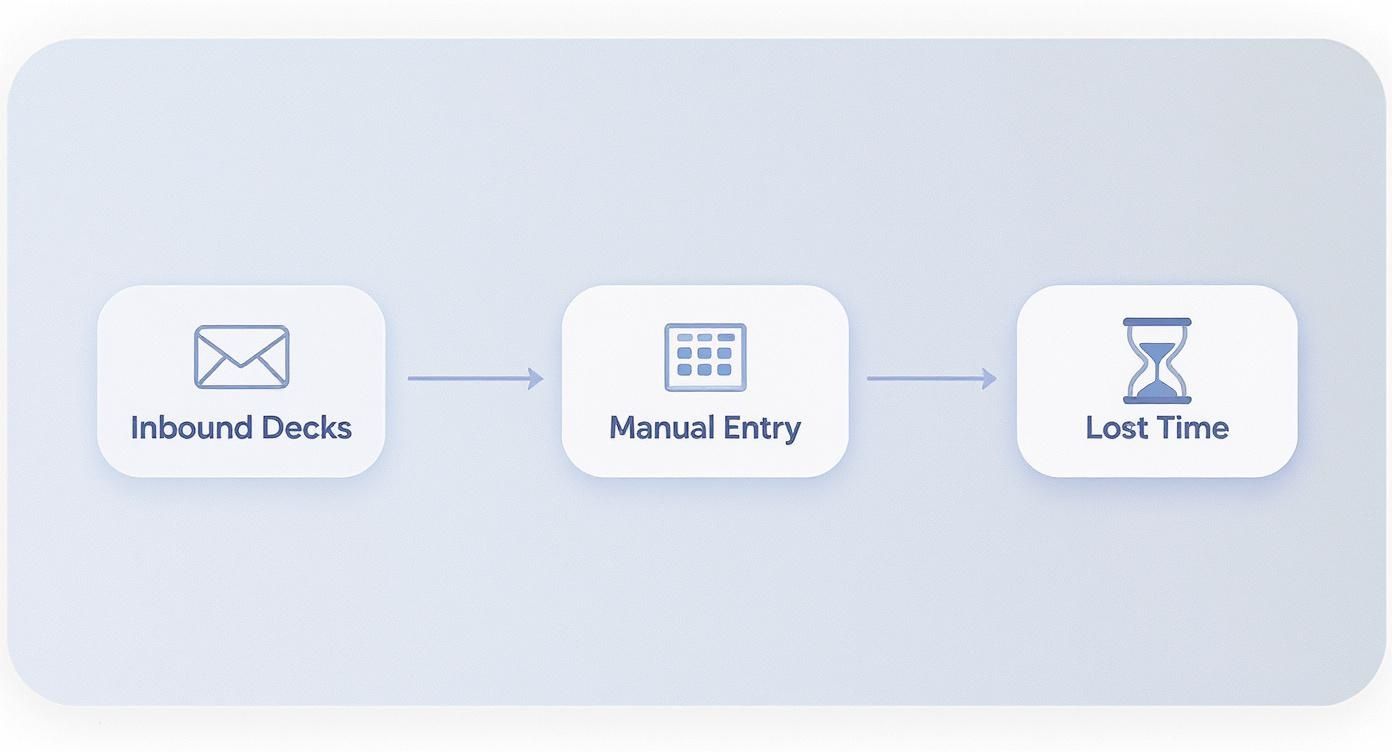
Automating this initial capture step eliminates the "Manual Entry" roadblock, instantly reclaiming hours and dramatically accelerating your time-to-first-review.
Configuring Your CRM for API Access
With decks being captured, the next destination is your CRM. Modern platforms like Affinity and Attio are built with robust APIs for this purpose. You will need to generate an API key from your CRM’s administrative settings. This key acts as a secure credential, allowing your automation tool to programmatically create and update records.
When configuring this connection, have the automation create new deals in a dedicated pipeline stage, such as "New / Unscreened." This creates an organized queue for the investment team, separating automated entries from deals already under review. For a deeper dive into optimizing your deal flow, check out our guide on private equity deal sourcing.
A Quick Security Note: Treat your API keys like you would any password. Store them securely inside your automation platform’s environment variables. Never, ever paste them directly into your workflows in plain text. It’s a simple step that protects your firm’s most valuable asset: its deal flow.
Initially, the goal is simply to create a placeholder record in your CRM. The workflow can populate basic fields directly from the email metadata:
- Sender's Email: The primary contact.
- Email Subject: A logical starting point for the deal name.
- Date Received: A timestamp for tracking follow-up times.
This foundational setup ensures that an organized record is created the moment a deck hits your inbox, preparing it for AI-powered data extraction. For a more technical perspective, this guide on how to automate a data pipeline is an excellent resource for building these types of systems.
Leveraging AI to Extract Data from Pitch Decks
With the pipeline in place, the next step is to make it intelligent. This involves using AI to parse the content of each deck and extract the key data points required for initial screening.
The objective is to automate the transcription work an analyst would otherwise do manually. An AI can scan a what is a pitch deck and identify critical information in seconds. This eliminates the need to hunt for the "ask" on slide 17 and frees your team to focus on strategic evaluation.

Structuring Unstructured Deck Content
The core process involves feeding the raw text from a deck—whether from a PDF, PPTX, or scraped from a DocSend link—into a large language model (LLM). You then provide the model with a precise set of instructions ("prompts") detailing exactly what information to find.
The output should be a structured JSON object, a machine-readable format that your automation workflow can use to create or update a record in your CRM.
Start by extracting the most critical data points for initial screening:
- Company HQ: Legal headquarters location.
- Industry Vertical: e.g., FinTech, HealthTech, B2B SaaS.
- Founder Experience: A concise summary of relevant background (e.g., previous exits, domain expertise).
- Amount Raised: The total capital sought in the current round.
- Pre-money Valuation: The stated valuation before this investment.
Automating the extraction of just these five points provides an immediate advantage, allowing for instant sorting, filtering, and analysis of inbound deal flow.
Mapping Pitch Deck Data to Your CRM
The following table illustrates how unstructured deck content is mapped to structured CRM fields.
| Data Point | Example from Deck | Target CRM Field | Extraction Priority |
|---|---|---|---|
| Company Name | "We are FinHub, a new neo-bank for creators." | Organization Name | High |
| Headquarters | "Based in the heart of Austin, TX..." | HQ Location | High |
| Industry | "Our platform serves the B2B enterprise SaaS market." | Industry / Sector | High |
| Funding Ask | "We are raising a $2.5M Seed round..." | Deal Size (Ask) | High |
| Founder Bio | "Jane Doe, CEO (ex-Google), and John Smith, CTO..." | Founder Bios | Medium |
| Key Metric | "We've achieved $100K in ARR with 30% MoM growth." | Traction / ARR | Medium |
| Pre-Money Valuation | "...at a $10M pre-money valuation." | Pre-Money Valuation | Low |
This mapping serves as the blueprint for your AI, defining what it needs to find and where that data should be routed.
Prompt Engineering for Accuracy
Generic prompts like "Extract the company location" are ineffective. The AI may incorrectly pull the location of a case study or a target market. Precision is critical.
Provide clear context and constraints in your instructions.
Ineffective Prompt: "Find the company's location."
Effective Prompt: "Identify the company's primary headquarters as mentioned on the contact or team slide. Distinguish this from any target market locations. Return the result as 'City, State/Country'."
The second prompt instructs the AI on what to find, where to look, and what to ignore. The same principle applies to financial data. Asking for "the ask" might yield a revenue projection. A more precise prompt like "the total funding amount being raised in this seed round" will yield the correct figure. This iterative process of refining prompts transforms a general AI into a specialist tool for automated data entry tailored to your fund's specific needs.
Solving for Password-Protected DocSends
Password-protected DocSend links are a common bottleneck in automated workflows, typically requiring manual intervention. This is a solvable problem.
A robust workflow can automate this entire sequence. The system first scans the email body for the DocSend URL and a separate text string that matches a password format (e.g., "Password: Founder2024").
With both pieces of information, a browser automation tool can:
- Open the DocSend link in a headless browser.
- Locate the password field on the page.
- Input the password extracted from the email.
- Scrape the text from the now-unlocked deck.
This process happens server-side, securely accessing the content just long enough to perform the text extraction before terminating the session. This turns a major manual roadblock into a seamless, automated step.
Weaving in a Human-in-the-Loop Workflow
No automation is infallible. For a VC fund, where data integrity is paramount, blindly trusting AI output is not a viable strategy. A human-in-the-loop (HITL) workflow provides a critical quality check that builds confidence without reintroducing a significant bottleneck.
The objective is not to revert to manual data entry but to implement a lightweight, rapid verification step. This hybrid approach augments analyst judgment and ensures the data entering your CRM is both timely and accurate.
Building the Approval Queue in Slack
An effective HITL process can be built within a tool your team already uses constantly: Slack. By creating a private channel like #deal-flow-review, you can establish an efficient, asynchronous approval queue.
After the AI extracts data from a pitch deck, it sends a formatted message to this Slack channel instead of immediately writing to the CRM. The message should present the key data points alongside interactive approval buttons. An analyst can then review the summary and, with a single click, approve the entry or flag it for correction.
This simple step transforms a 15-minute manual data entry slog into a 5-second verification click. You get to keep 95% of the time savings from automation while ensuring impeccable data quality. It's the perfect sweet spot between speed and accuracy.
A typical Slack approval message would contain:
- Company: FinHub
- Industry: B2B SaaS, FinTech
- HQ: Austin, TX
- Ask: $2.5M Seed
- Deck:
[Link to DocSend] - Action:
[Approve & Log to CRM][Flag for Manual Review]
Only upon approval does the automation finalize the entry in Affinity or Attio. This gatekeeping step prevents erroneous data from polluting your CRM.
The Efficacy of the Hybrid Model
This system leverages the distinct strengths of AI and human analysts. Automation handles the high-volume, repetitive extraction, while your team provides the final, critical judgment. This is crucial because AI can sometimes miss the subtle context an experienced analyst will catch instantly.
Consider the accuracy metrics. A high-quality automated system can achieve 99.99% accuracy, or one to four errors per 10,000 entries. In contrast, human data entry accuracy typically ranges from 96% to 99%, resulting in 100 to 400 errors for the same volume. As detailed in this analysis of data entry accuracy from DocuClipper.com, humans are approximately 100 times more likely to make an error. The hybrid model provides machine-level precision with human oversight as a safeguard against rare AI mistakes.
Monitoring Performance with a Simple Dashboard
To build team confidence and identify system issues, a simple monitoring dashboard is essential. This does not require a complex BI tool; a shared Google Sheet or a basic dashboard within your automation platform is sufficient.
Track a few key metrics to monitor system health:
- Successful Extractions: Total decks processed and logged to the CRM.
- Failure Rate: Percentage of decks that failed to process due to format errors or API timeouts.
- Human Interventions: Number of entries flagged for manual review, indicating areas where the AI needs tuning.
- Average Processing Time: Time from email receipt to CRM entry, quantifying the system's speed.
Monitoring these numbers shifts the conversation from "Does this work?" to "How can we optimize it further?" providing a data-driven view of ROI and system reliability.
Measuring the ROI of Your Automation
In venture capital, every investment demands a clear return. The same rigor should be applied to internal operations. An automated data entry system is an investment in your team's efficiency, and its ROI is quantifiable.
The primary return is reclaimed analyst hours. The legacy process, from email receipt to a fully logged CRM entry, takes approximately 15 minutes per deck. For a firm reviewing 40 decks a week, this consumes 10 hours of analyst time weekly—time spent on administrative tasks.
Reallocating those 10 hours from data entry to proactive sourcing or preliminary diligence increases your team's high-value output by 25% without any change in headcount. This is the core financial justification for automation.
Quantifying the Primary ROI
Calculating the dollar value of this reclaimed time is straightforward.
- Hours Saved Per Week: 10
- Weeks Per Year: 50 (accounting for holidays)
- Total Hours Saved Annually: 500
At a conservative fully-loaded rate of 75/hour for a junior analyst, this translates to **37,500 per year** in reclaimed value. This figure typically far exceeds the subscription costs of the necessary automation tools.
This is about operational leverage. You are reallocating cognitive resources from clerical work to the critical task of making better investment decisions. To explore how this reclaimed time can be leveraged, see our guide on improving the investment decision-making process.
Tracking Crucial Secondary Metrics
Beyond direct time savings, the secondary effects on deal flow are equally impactful.
- Reduced Time-to-First-Review: Manual logging creates backlogs, leaving promising decks to go stale in an inbox. Automation reduces the time from receipt to review-ready to mere minutes—a significant competitive advantage.
- Decreased Data Entry Errors: Manual entry is prone to typos and miscategorizations that can render a deal undiscoverable in your pipeline. A well-tuned automation delivers clean, consistent data, restoring the CRM as a reliable source of truth.
- Increased Deal Throughput: By removing the top-of-funnel bottleneck, your team can process a higher volume of opportunities without being overwhelmed, increasing the probability of discovering an outlier.
This operational shift is not about replacing people. Job postings for Data Entry Specialists have grown by 7% over the past year, as noted by the Data Entry Institute. This trend highlights a key dynamic: machines handle the repetitive work, while humans manage exceptions and quality control—the ideal model for an investment team.
Answering Your Top Questions About Deal Flow Automation
Adopting a new system that interfaces directly with your deal flow requires scrutiny. The details regarding security, implementation, and cost are critical. Here are answers to the most common questions from VCs considering pitch deck automation.
Is This Process Secure Enough for Our Pitch Decks?
Security must be the foundation of any such system. All data transmission should use end-to-end encryption. When connecting to your inbox or CRM, use token-based authentication like OAuth 2.0. Any cloud services involved must be SOC 2 compliant.
Most importantly, the process must be stateless. The system should process deck content in-memory and then immediately discard it. Only the extracted, structured data points (company name, founder, etc.) are transmitted to your CRM. This architecture minimizes your firm's security exposure. Avoid any solution that requires storing full pitch decks on a third-party server.
What's a Realistic Timeline to Get This Running?
A functional pilot can be implemented faster than most expect. A tech-savvy associate or operations professional can build a working prototype in one week using a low-code platform like Zapier or Make connected to an AI service like OpenAI.
The key is to start with a minimum viable product (MVP) focused on extracting the top 5-7 data points. From there, you can spend an additional two to three weeks refining, testing, and expanding the system based on your team’s feedback and requirements.
How Does It Handle All the Different Deck Formats and Links?
A well-designed system is format-agnostic.
- It should parse text directly from email bodies.
- It must automatically convert attachments like PowerPoint (
.pptx) and PDF files into raw text for AI processing.
Handling DocSend links is critical. A robust script can identify these URLs, use a headless browser to open the link, and scrape the content programmatically.
For password-protected decks, the workflow can be designed to scan the email for a password string (e.g., "Password: Founder2024") and use it to automatically unlock the deck, maintaining a seamless, zero-touch pipeline.
What's This Actually Going to Cost Us?
The ongoing operational costs are nominal when compared to the value of reclaimed analyst time. The two primary expenses are:
- Automation Platform: A subscription to Zapier or Make will likely cost between 50 and 200 per month for a plan sufficient to handle a typical VC deal flow.
- AI API Calls: The cost for a model like OpenAI's GPT-4 is usage-based. Processing several hundred decks per month will likely incur costs between 50 and 150.
Total monthly costs for a fully operational system should range from 100 to 350. This is a fraction of the cost of the analyst hours it liberates, delivering an almost immediate ROI.
Stop wasting hours on manual data entry and start surfacing the best deals faster. Pitch Deck Scanner automates the entire process, from inbox to CRM, so your team can focus on what they do best—making great investments. Try it free and see the difference it makes for your fund. Visit https://pitchdeckscanner.com to get started.